Faculty: What's New in Moodle 4.5
Completion requirements
Edit Your Course
Update Group Settings
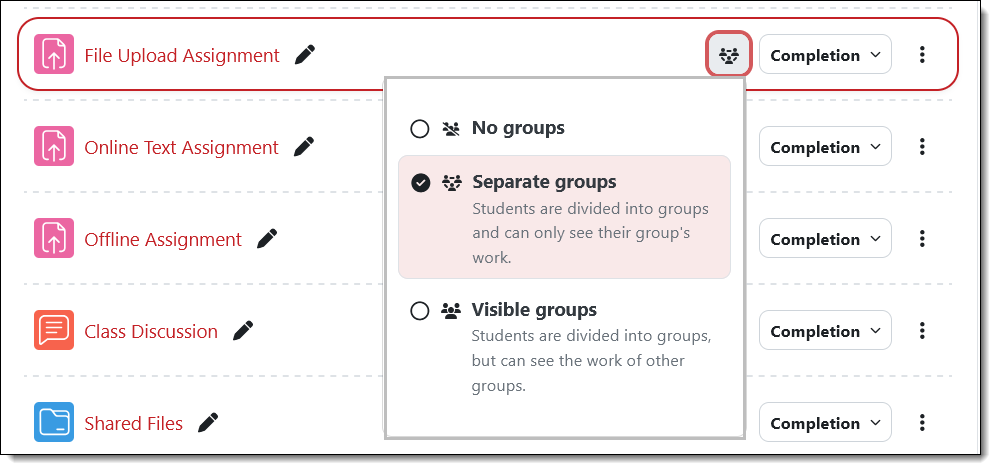
There’s now a groups icon next to the Completion setting field. Hovering over the icon indicates if an item is set for groups or not. This example shows that the assignment has been set for separate groups.
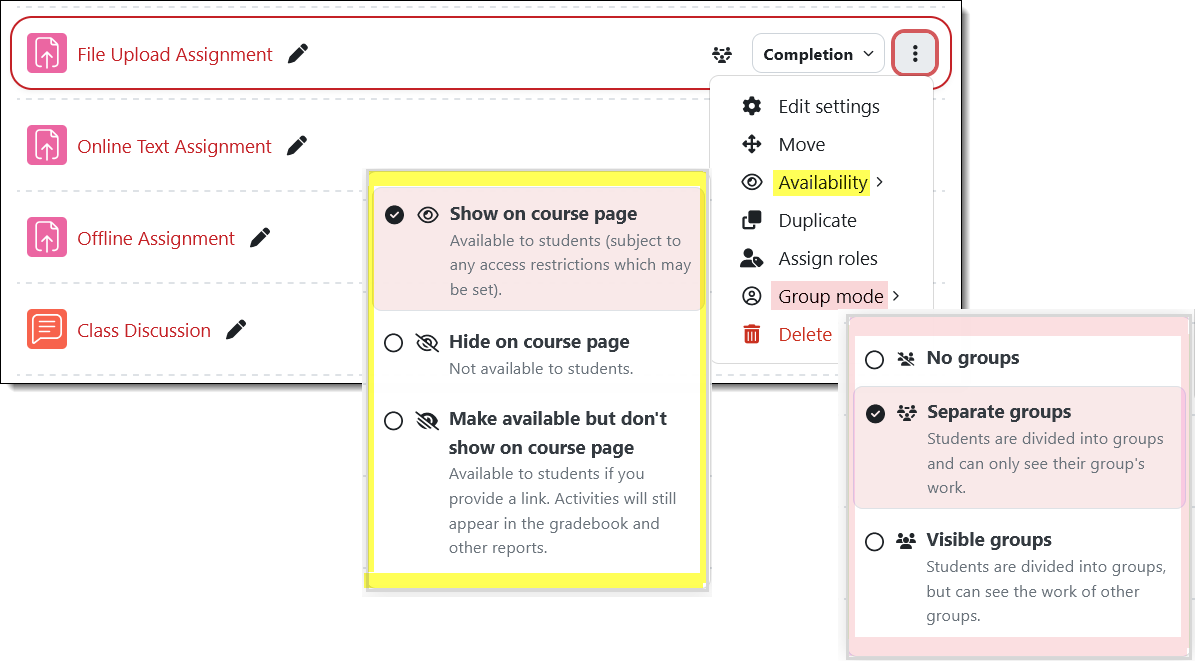
Update availability and group status on the course main page. The options available from the Edit menu to the right of the item name have been expanded. Instead of simply having the choice of hiding or showing the item, the Availability link provides the complete range of visibility options. (Learn more about items available but not shown on the course page.) Even handier is the ability to assign an activity or resource to groups by using the Group mode options.