Faculty: What's New in Moodle 4.5
Edit Your Course
Edit Text
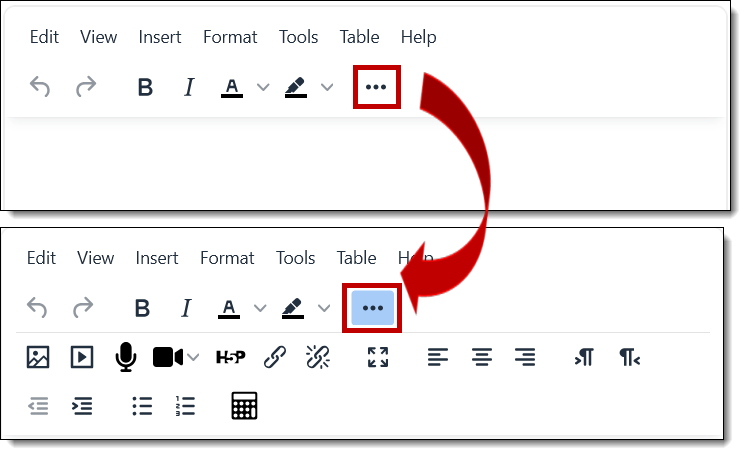
With this version, we'll all be using the "TinyMCE" text editor as the Atto editor has been retired by Moodle. The toolbars feature fewer icons on the top level and the pull-down menus feature a few new additions.
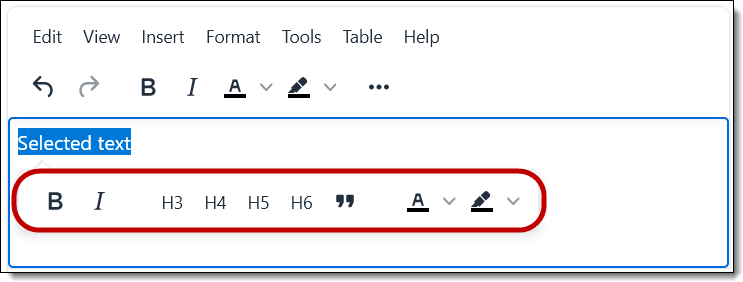
When you select text, the "quick tools" interface has been expanded to include font color and highlighter in addition to bold, italic and styles.
IMPORTANT REMINDER: Avoid using heading styles simply to enlarge text—heading codes convey meaning to individuals using assistive devices to read text. To ensure accessibility for all users, be sure to use headings solely to connote a hierarchical relationship within your text. Headings need to follow in hierarchical order and shouldn’t skip levels. The built-in page headers are levels 1 (<h1>) and 2 (<h2>), so the headings that we add in textboxes start at h3 and continue down to h6.